Explore the FlowAV
planning workflow
A closer look at how FlowAV connects system design, gear management, working lists, exports, testing, readiness, and repeatable planning workflows.
System Design
Design complete AV setups before you touch a cable
Every device, port, connection, and signal path is defined upfront so the project can drive execution.
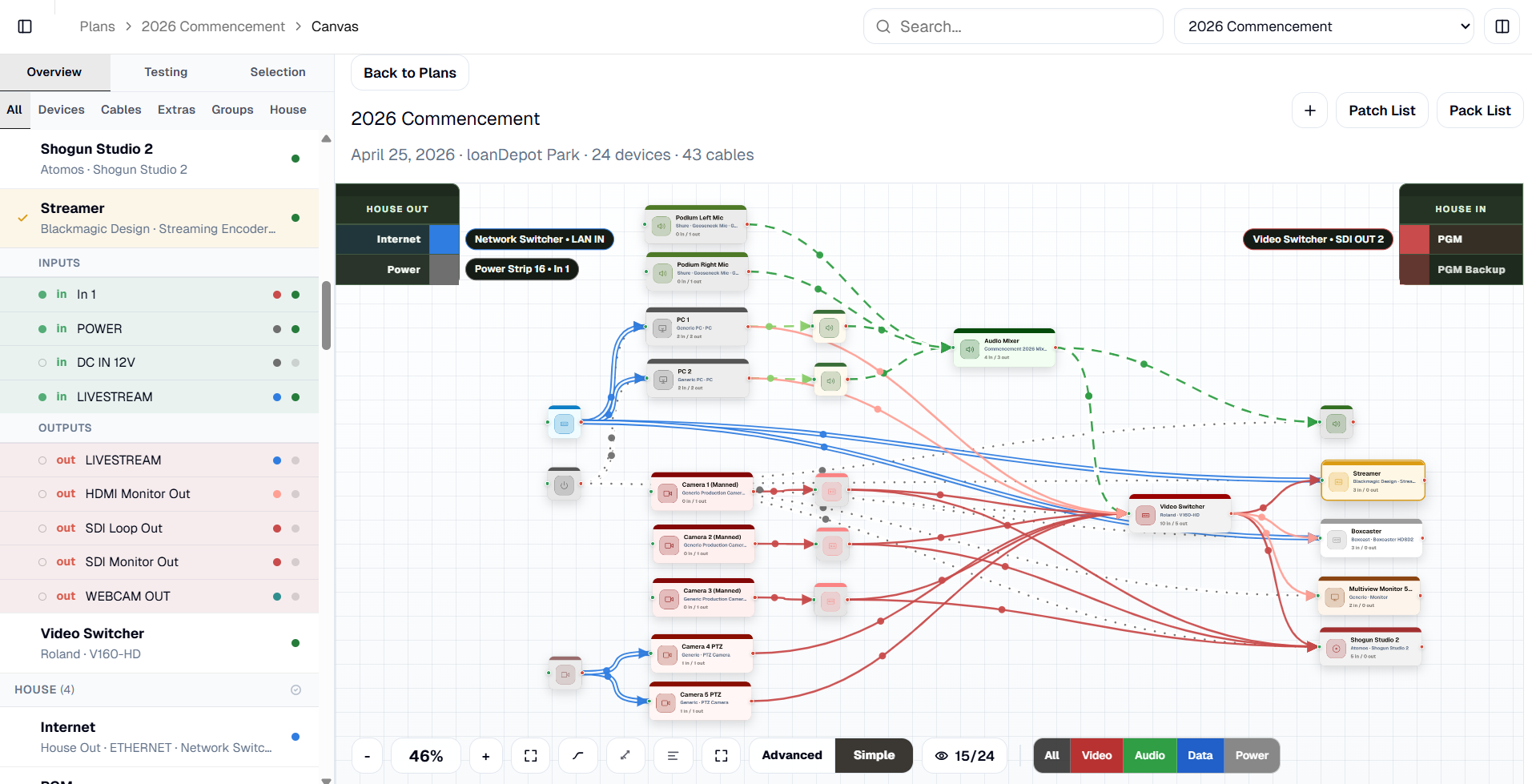
Signal Flow Canvas
Design complete AV setups using real devices, ports, and cable types
Build clear signal flow diagrams that show how video, audio, network, and power connections come together. Every connection becomes structured, traceable data that feeds the rest of the workflow.
- Place real devices with defined ports
- Connect only compatible signals (invalid connections blocked)
- Switch between simple overview and full technical detail
- Filter by signal type (video, audio, data, power)
- Every connection feeds Patching, Packing, testing, and exports automatically
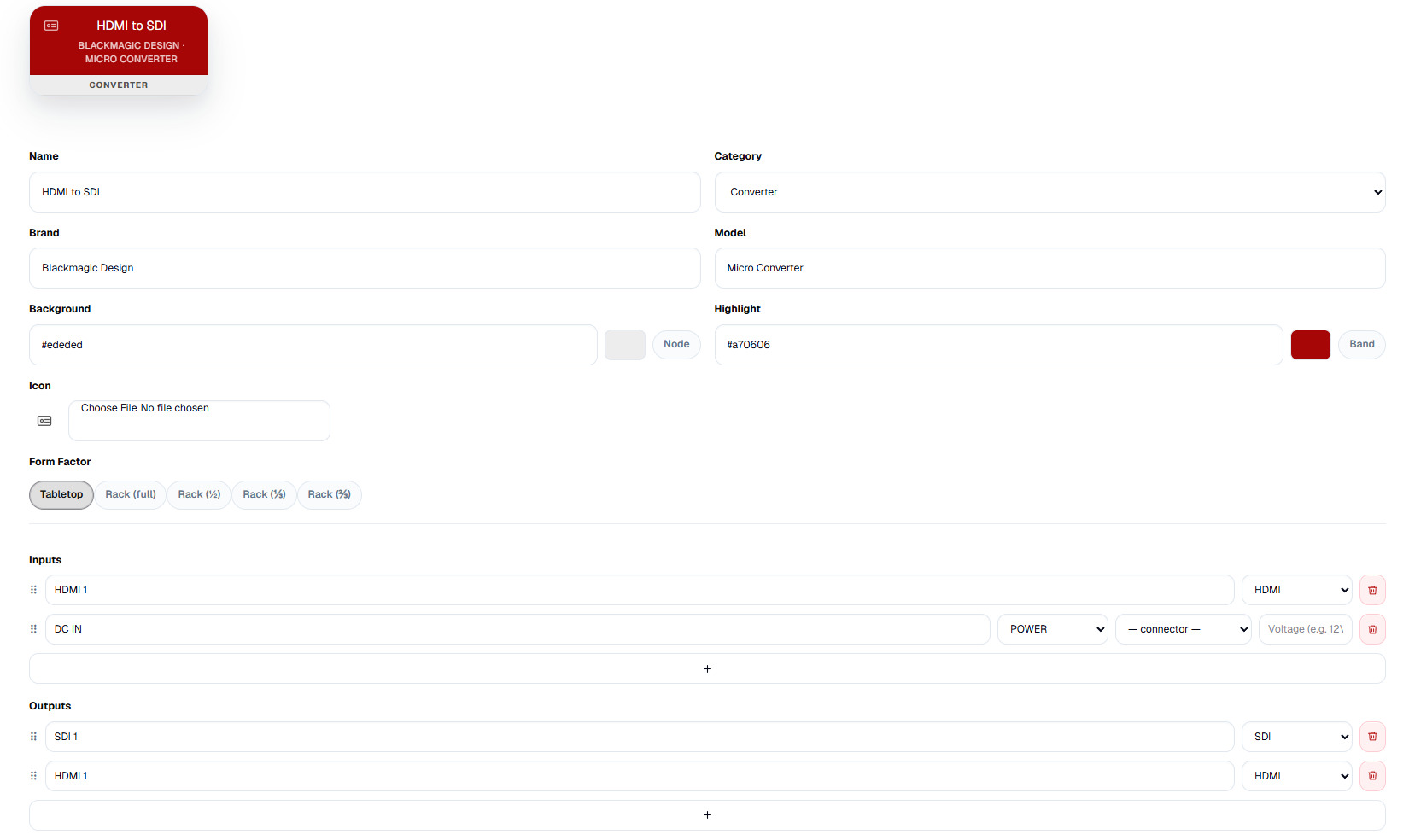
Device, Cable & Extras Library
Build a reusable library of real equipment
Store devices, cable types, and essentials with the details your workflow actually needs so future diagrams are faster and more accurate.
Devices
Model real equipment with accurate ports, categories, form factors, and inventory status.
- Inputs, outputs, and bidirectional ports
- Front and rear port mapping
- Rack, desktop, and portable form factors
- Categories and color coding
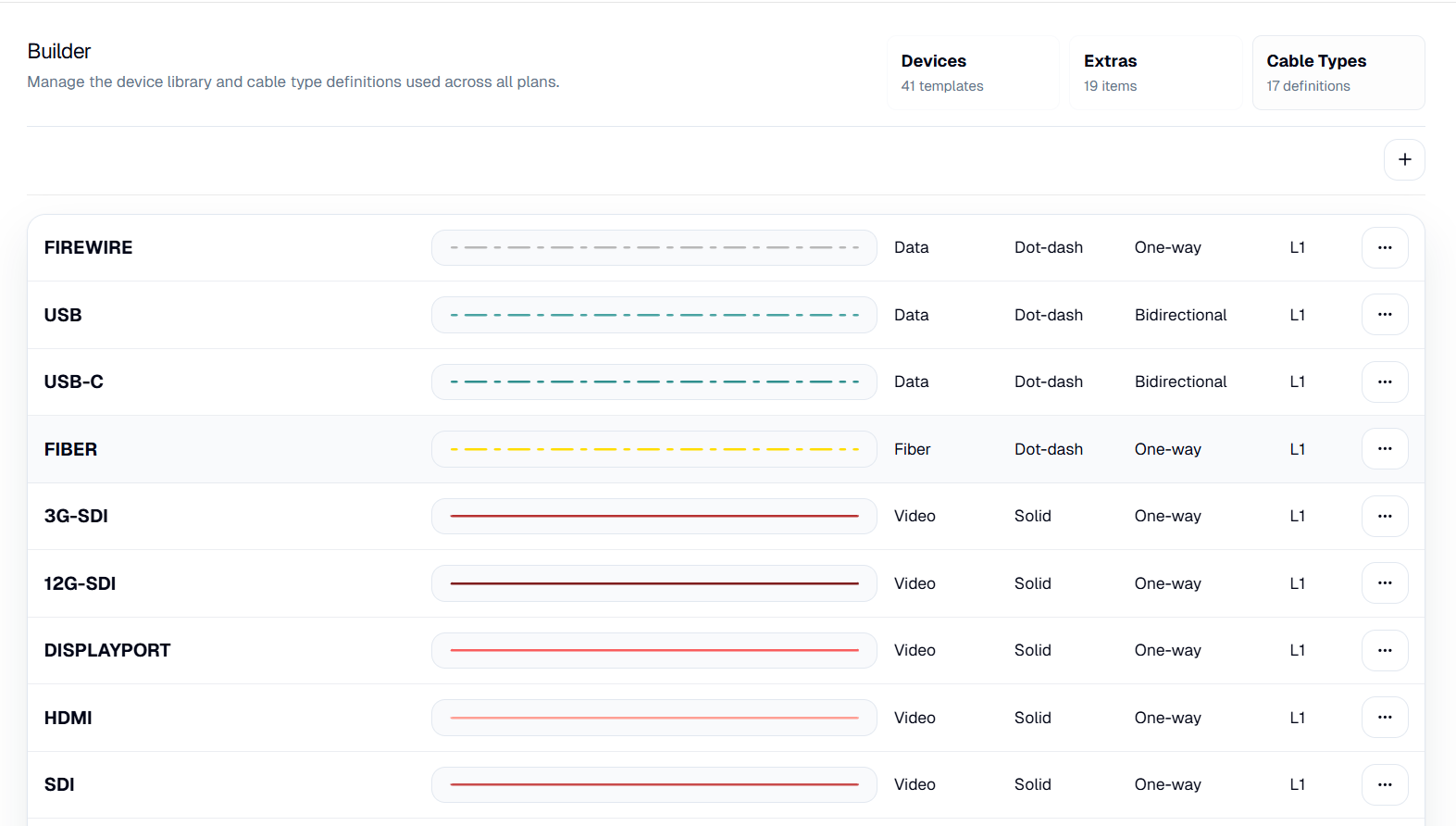
Cables
Define how signals move with consistency and clarity.
- Signal types (video, audio, data, power)
- Direction and behavior
- Visual styles for instant recognition
Extras
Capture everything that matters—even off the diagram.
- Adapters, batteries, media, and accessories
- Included in Packing without cluttering the canvas
- Quantities and sourcing tracked alongside gear
Your library becomes the foundation of every system—consistent, reusable, and ready to scale.
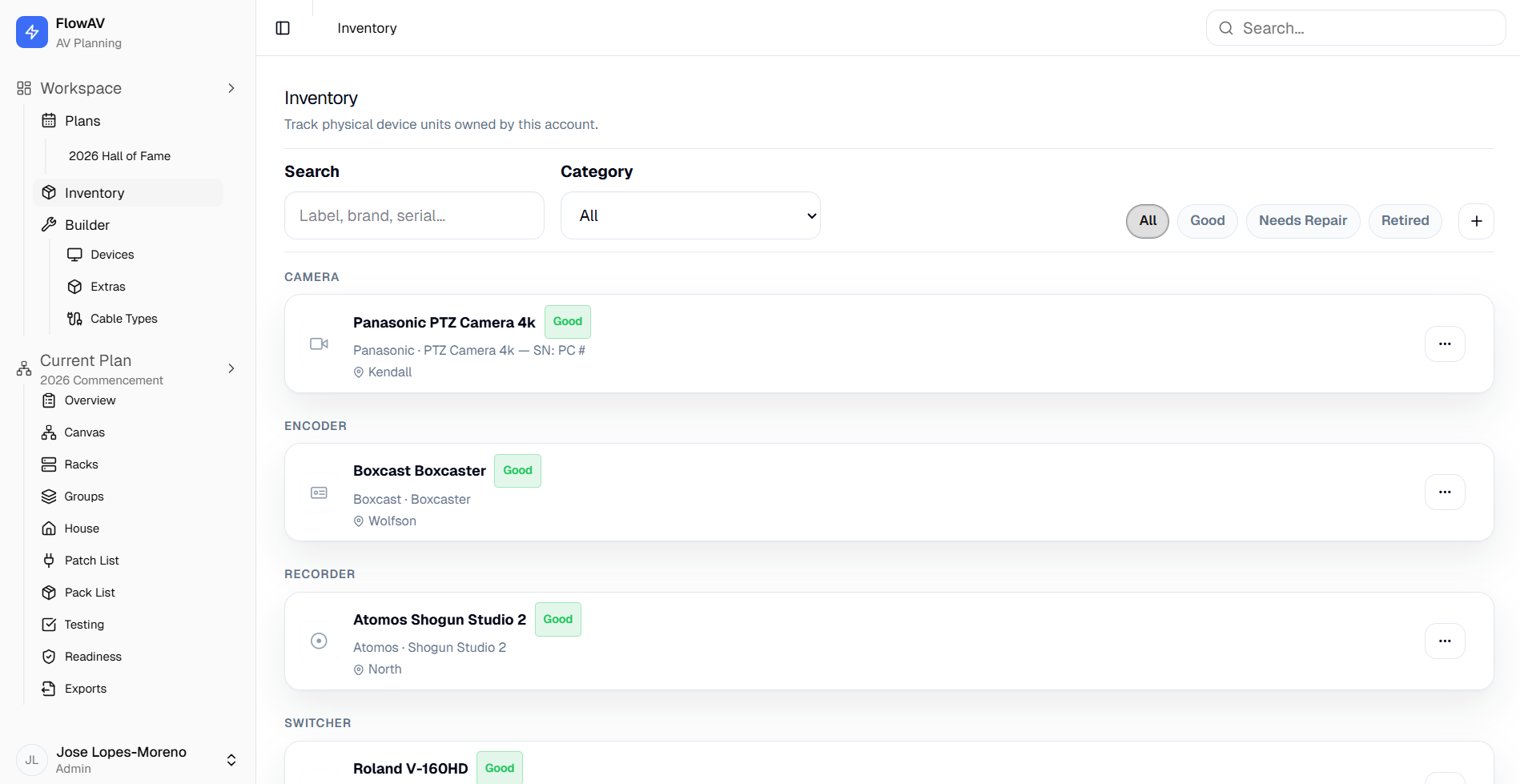
Inventory Management
Track real gear, not just generic equipment
Keep a live record of the physical devices your account owns so planning reflects what is available, assigned, healthy, and ready to use.
- Track per-unit labels, serial numbers, condition, location, and notes
- Assign inventory items to project devices
- Log condition changes with notes, timestamps, and project context
- Connect inventory decisions to diagrams, Packing, and readiness
FlowAV becomes a practical system of record for the gear your work depends on.
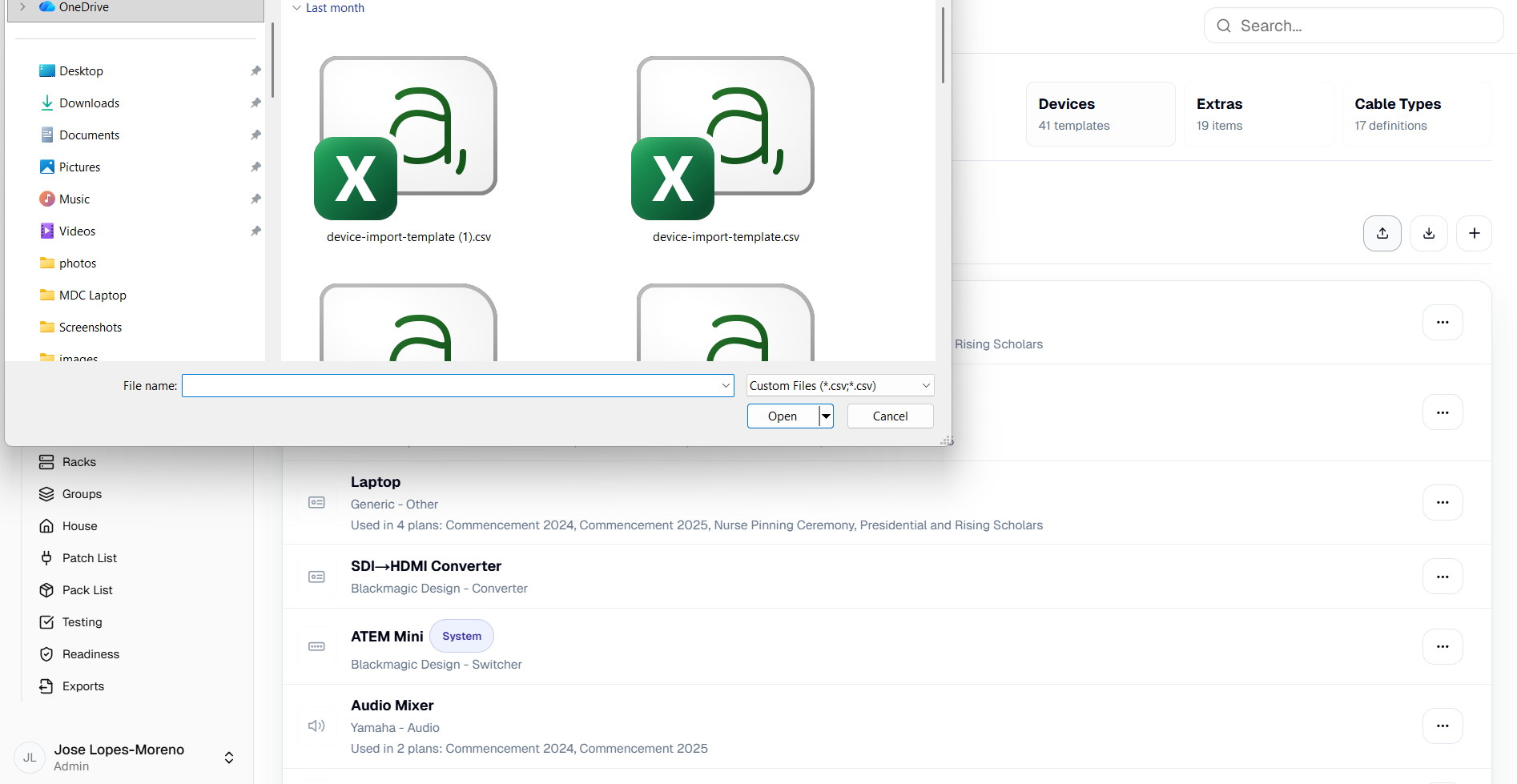
Device Import
Build the library faster with CSV import
Start from a spreadsheet when you need to add a batch of device templates and port definitions.
- Import devices with brand, model, category, colors, and ports
- Download a sample CSV template from the builder
- Normalize common port direction and type data
- Use imported templates immediately in projects
Split View
Work across two project views at once
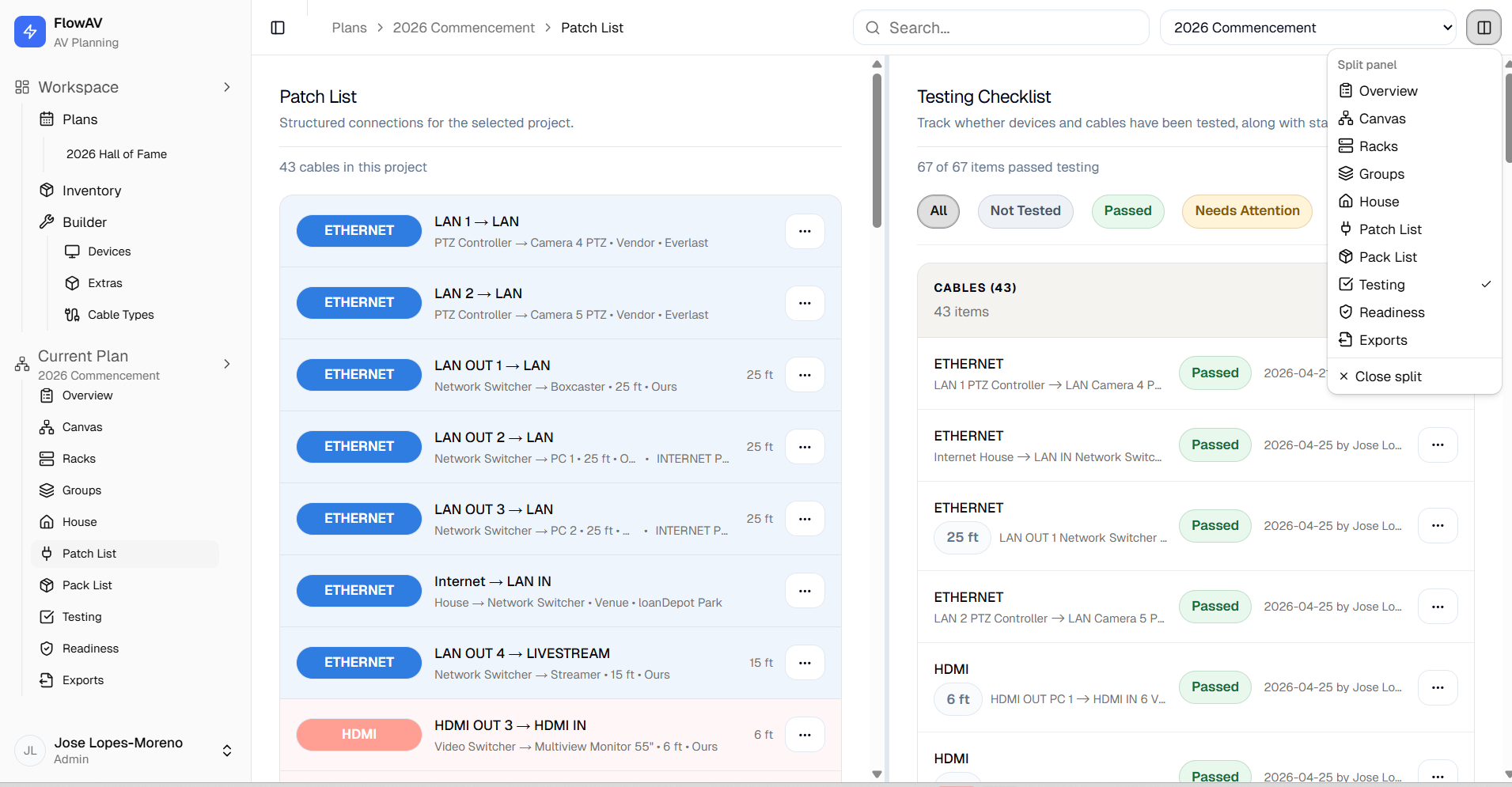
Open any two Current Project pages side by side so diagrams, lists, testing, readiness, and exports stay in context while you work.
- Compare Canvas and Patching while reviewing connections
- Keep Packing open while checking testing or readiness
- Review Exports alongside the source project data
- Resize the panels on wider screens
Split view is built for real planning sessions where one page is rarely enough.
System Outputs
Generate the working lists your production needs
Once the system is built, the documentation stays connected to it.
Patching
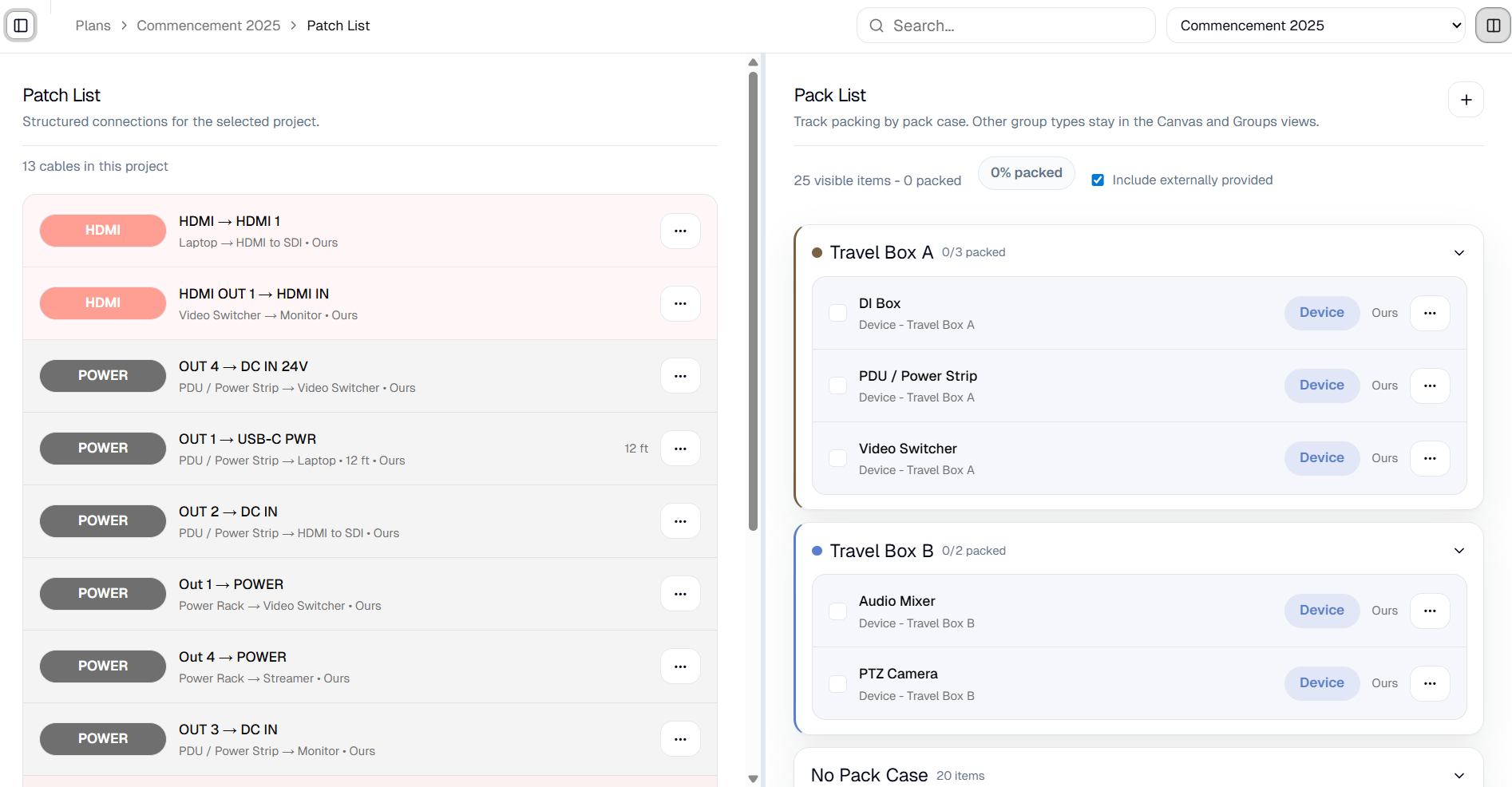
Turn your diagram into structured Patching
FlowAV converts device connections into organized Patching rows showing source, destination, ports, cable type, length, provider, and connection details.
- From/to device and port tracking
- Cable type, length, and provider (internal, vendor, client, venue)
- Real-time updates from the canvas
- Manual overrides for real-world scenarios
- Sort from table headers and group for execution
Connections are not just listed. They stay tied to the system model.
Packing
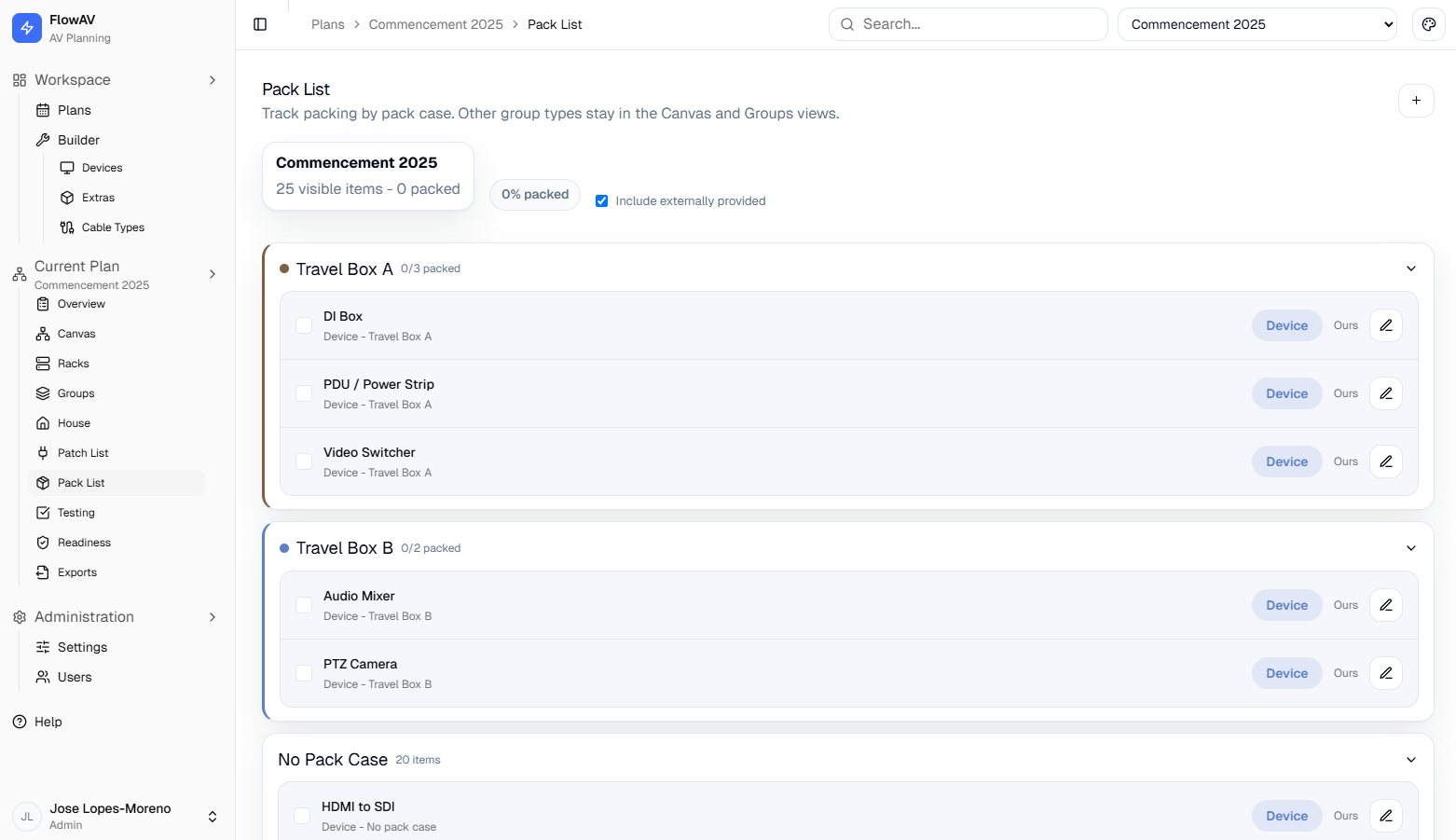
Know exactly what needs to go
Generate Packing rows from the planned setup, including devices, cables, adapters, accessories, extras, backups, and sourcing details.
- Devices, cables, and extras unified in one list
- Cables include routing context (from/to)
- Automatic quantities with backup planning
- Organized by packs, zones, or custom groups
- Mobile-friendly for on-site use
Track progress in real time and know exactly what's packed.
Rack Assemblies
Reusable Rack Assemblies
Build reusable rack assemblies with rackable equipment models, U-based placement, automatically exposed unused device ports, custom external connection points, and internal signal mapping.
- Front and rear rack views with panel-grid device ports
- U-based placement with rackable device templates
- Full, half, third, and two-third width equipment support
- Unused member ports appear externally by default
- Custom rack ports for bulkheads, power inlets, and interface panels
- Internal mapping from external ports to member device ports
- Clickable member-to-member patching with rack cable previews
- Shelves, drawers, blank panels, and spacers
- Place a Rack Assembly into a Project as one composite device with connectable external ports
- Grouped packing-list support when reusable Rack Assemblies are added to Projects
- Test Rack Assemblies at system and component level with Project-level readiness tracking
- Include external Rack Assembly connections in Project Patching
Build reusable Rack Assemblies and place them into Projects as composite devices with connectable external interfaces, grouped packing support, Patching integration, and Rack readiness rollups.
public/images/feat-rack-assemblies.pngAssemblies view showing an independent Rack Assembly with front and rear rack panels, rackable equipment templates placed by U position, external ports, and an internal mapping list. Capture at 1200x800 px.
Exports
Prepare project outputs for the people doing the work
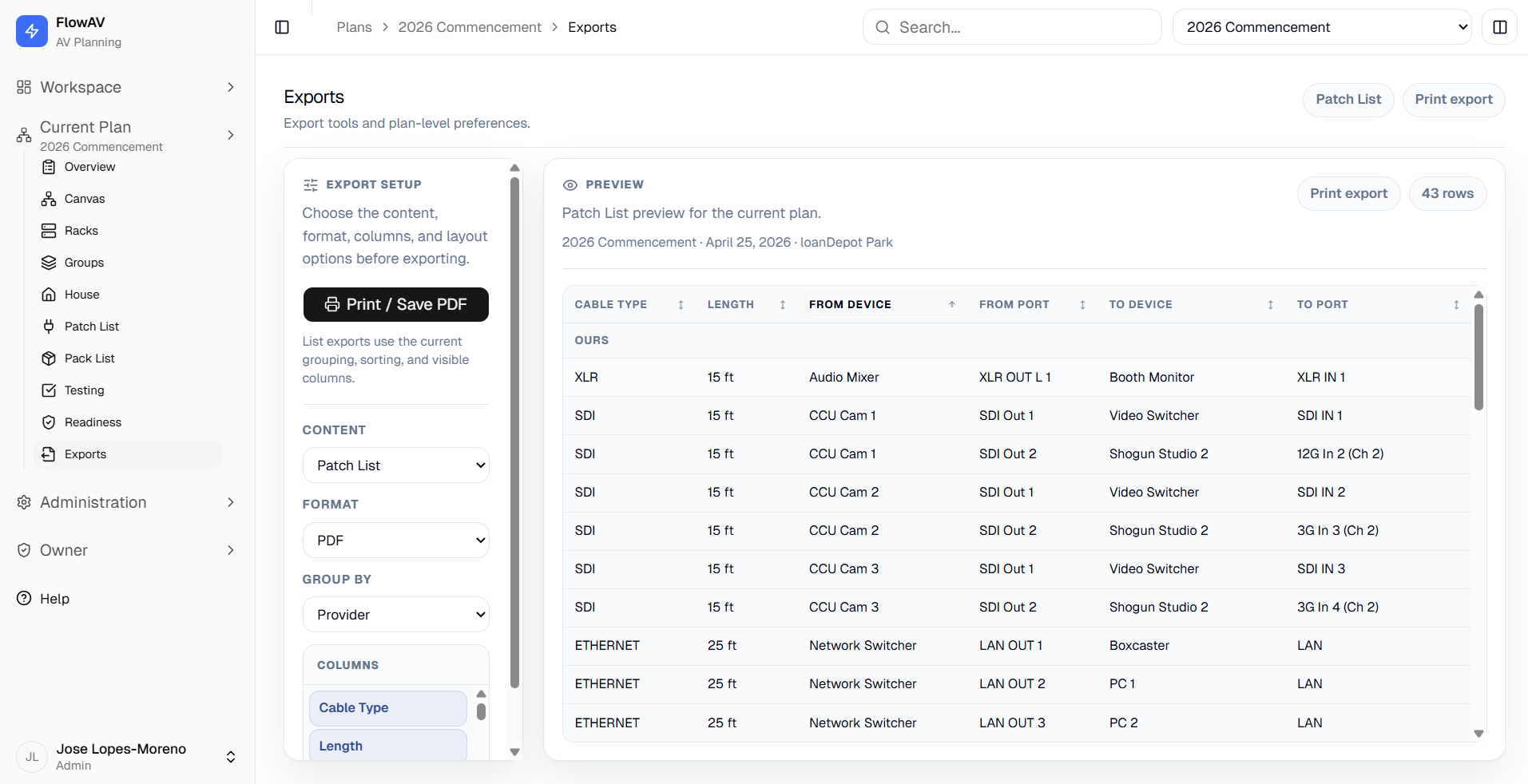
Export the current project into practical documents and files for crews, clients, and handoff.
- Export Patch List documents, testing records, readiness, Pack List documents, and group lists
- Choose PDF or CSV for list-based outputs
- Export canvas layouts for print-ready review
- Control grouping, sorting, visible columns, and layout options
The project stays editable, while the handoff stays clear.
System Structure
Structure the system like the real world
Your system doesn't live on a diagram—it lives in physical space.
Groups, Zones & Packs
Organize by how systems actually deploy
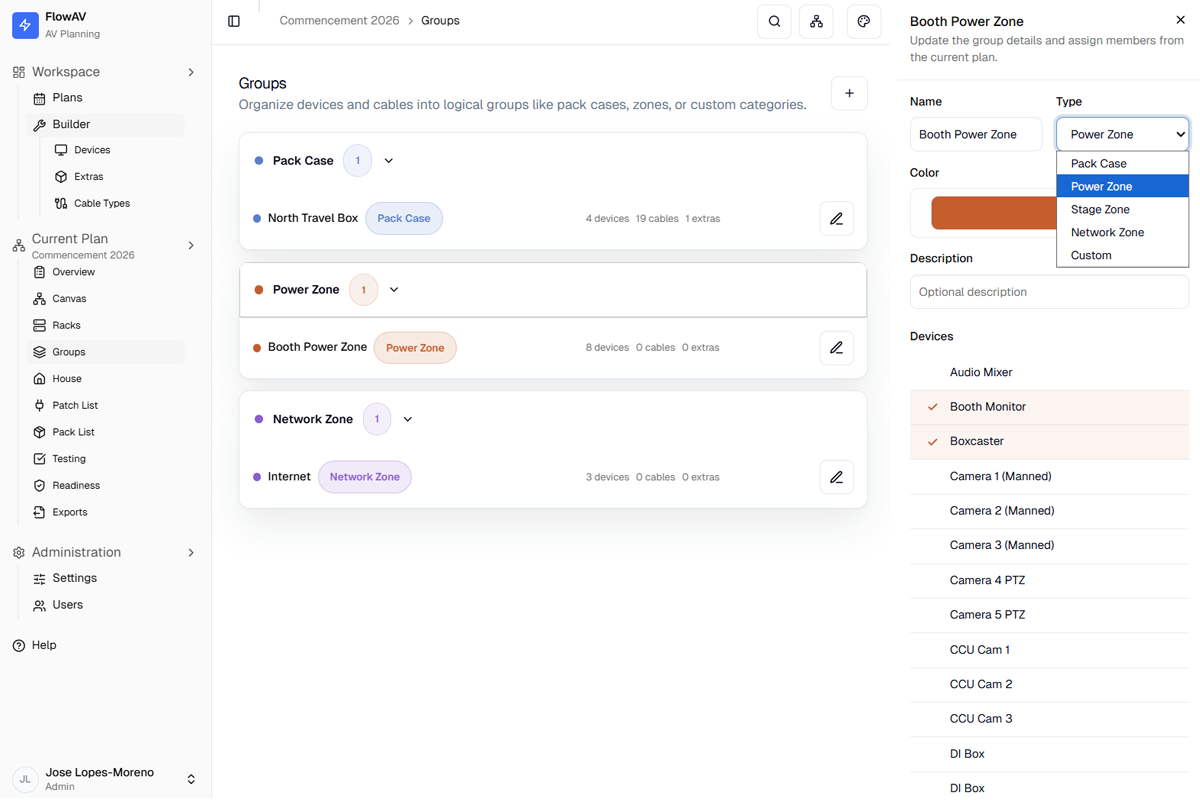
Group devices and cables based on real operational needs—without duplicating anything.
- Organize by location (stage, booth, control room)
- Map power distribution and network segments
- Structure packing by travel cases
- Assign items to multiple groups simultaneously
The same system supports multiple workflows—installation, logistics, power, and network.
Venue I/O
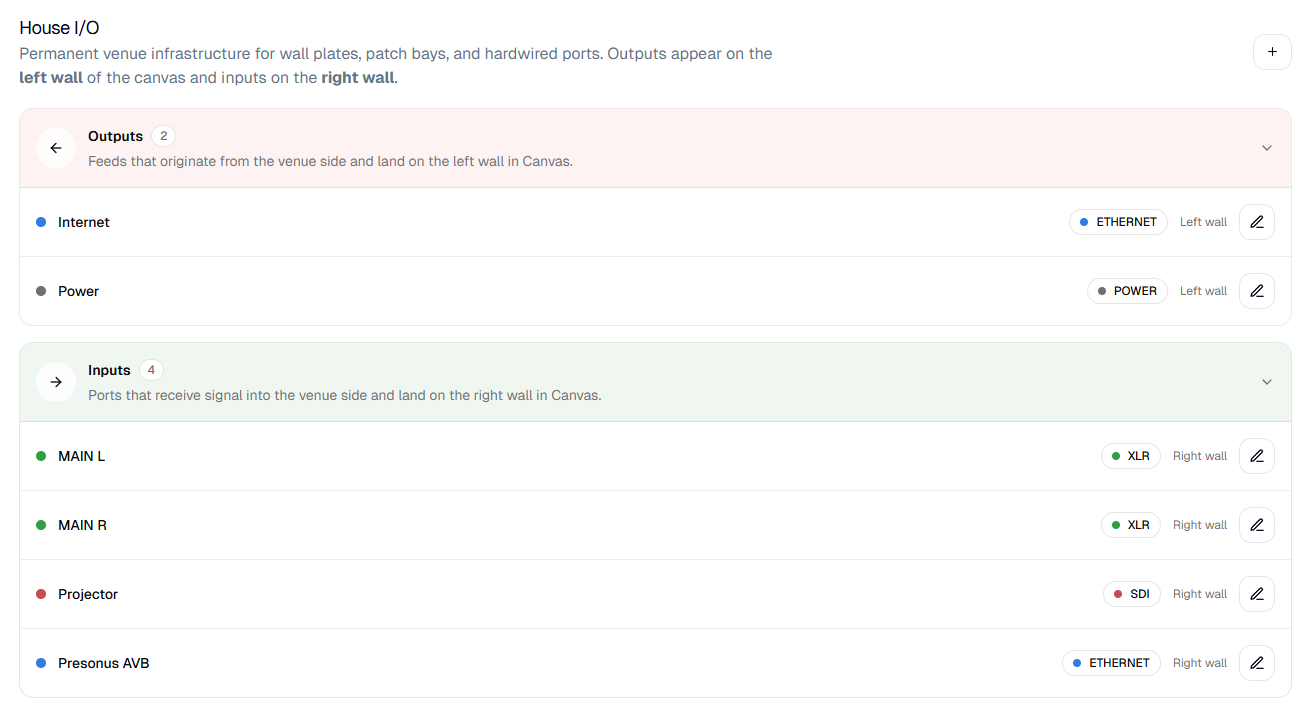
Model the system boundary—including the venue
Bring the venue into your system so nothing is assumed.
- Define house inputs and outputs
- Connect directly with full signal compatibility
- Clearly separate venue infrastructure from traveling gear
- Include venue connections in Patching and testing
No guesswork. No missing context.
Verification
Document testing and readiness before showtime
FlowAV turns verification into visible, accountable status.
Testing System
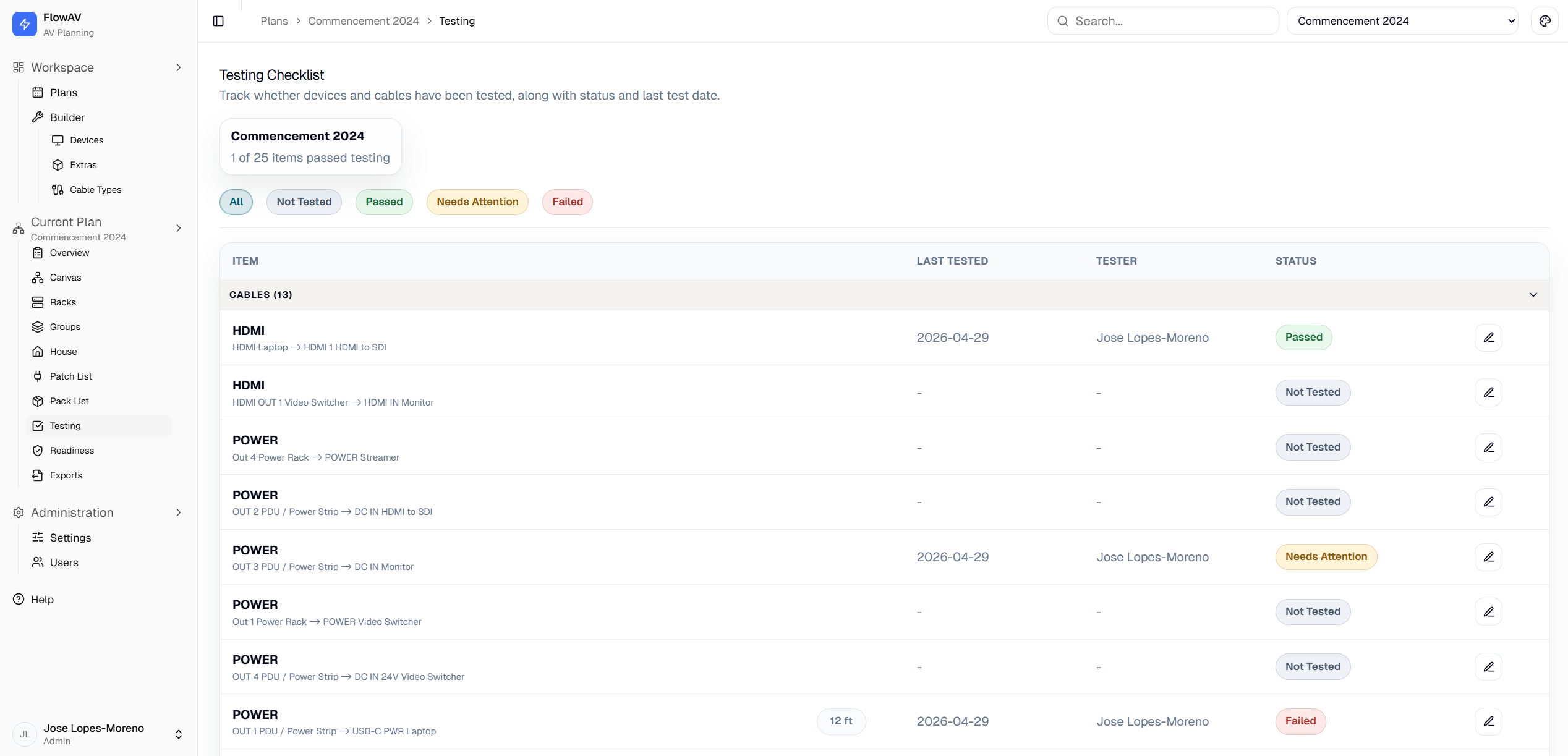
Document what was tested, when, and by whom
Keep testing records for devices, cables, Rack Assemblies, and event setups so issues are caught before they become show problems.
- Clear status per item
- Automatic tester, timestamp, and notes logging
- Retest with full history preserved
- Rack Assembly system and component-level tests for reusable rack systems
- Filter and group testing workflows
- Mobile-friendly for on-site execution
Nothing ships without a status.
Readiness Tracking
Give clients and stakeholders a clear readiness status
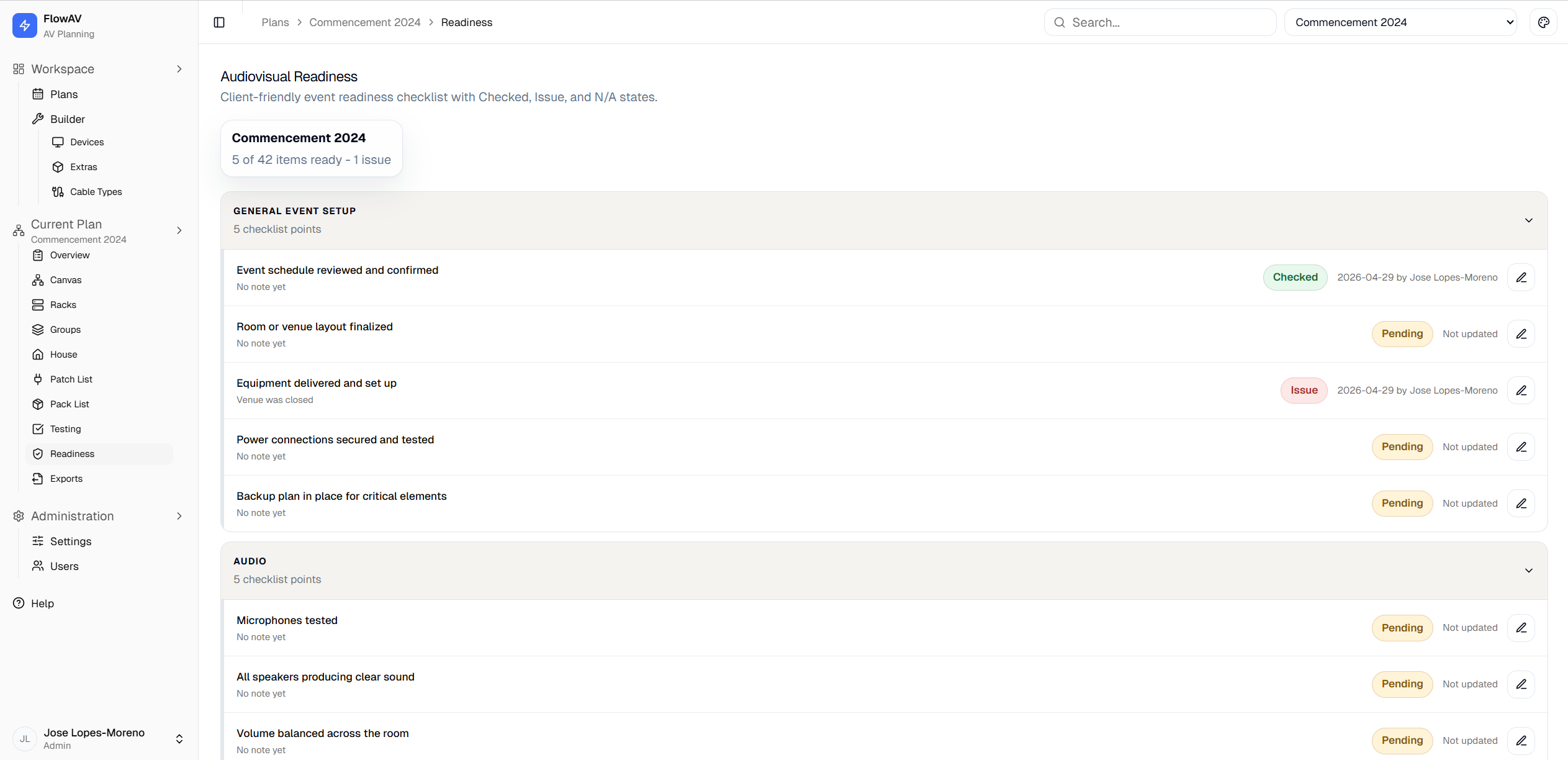
Turn technical setup progress into simple, friendly status language so clients, managers, and non-technical stakeholders can see whether the event is ready without reading Patching rows.
- Client-friendly sections such as Audio, Video, Lighting, Streaming, or Venue
- Connect technical testing to operational readiness with manual, derived, or hybrid checklist items
- Real-time completion tracking
- Full readiness roll-up that summarizes the project without heavy technical detail
A clear, client-safe definition of ready for the people who need confidence, not cable-level detail.
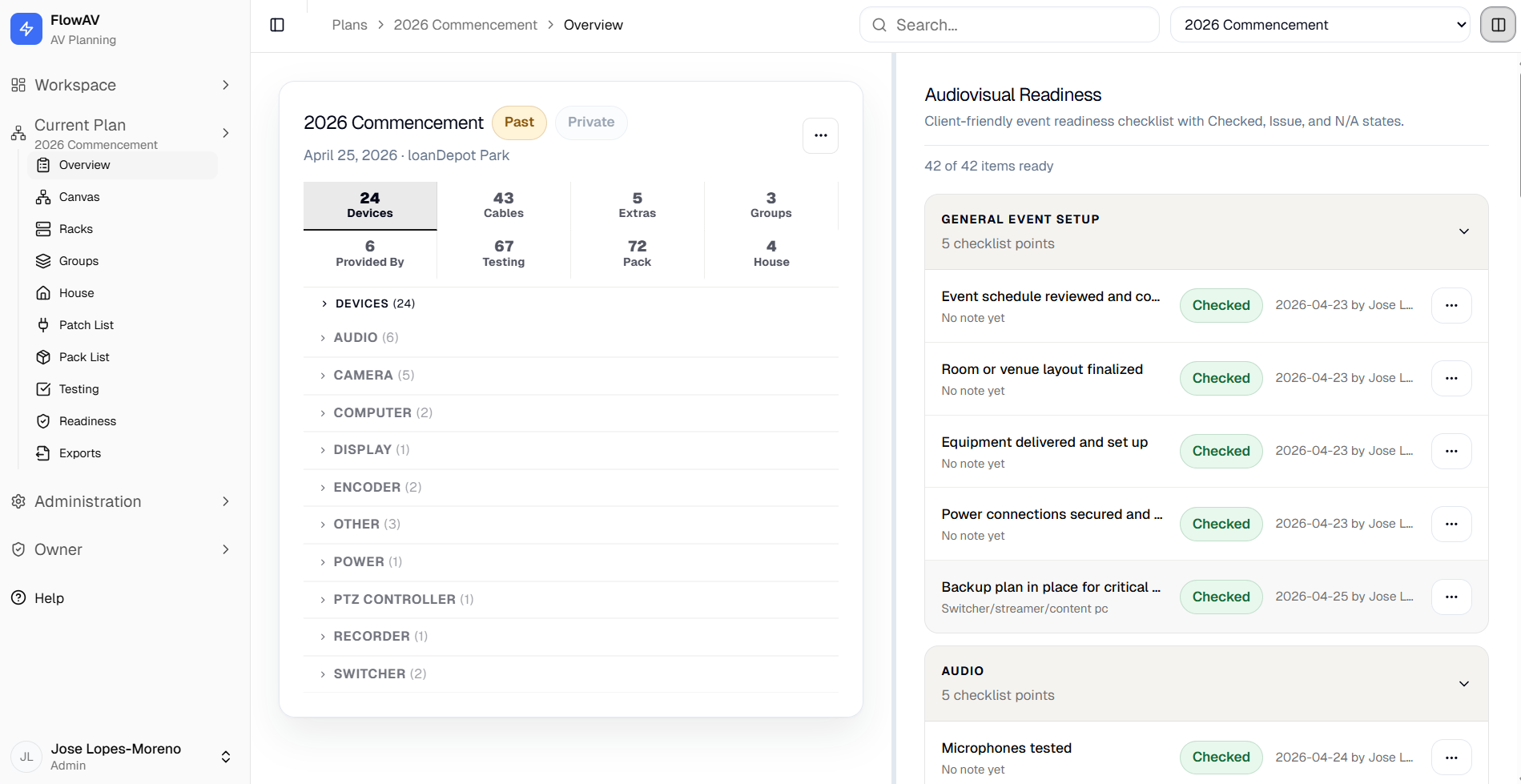
Project Overview
See the health of a project at a glance
A project summary pulls the important counts and unresolved work into one review surface before you dive into details.
- Review device, cable, extra, group, pack, testing, and house I/O counts
- Spot unrouted or incomplete work before the event
- Open detail groups without leaving the project context
- Use reviewer-friendly summaries for handoff
Reusable Workflow
Keep every project consistent and easier to update
Reusable templates and settings help individual planners avoid rebuilding the same production details from scratch.
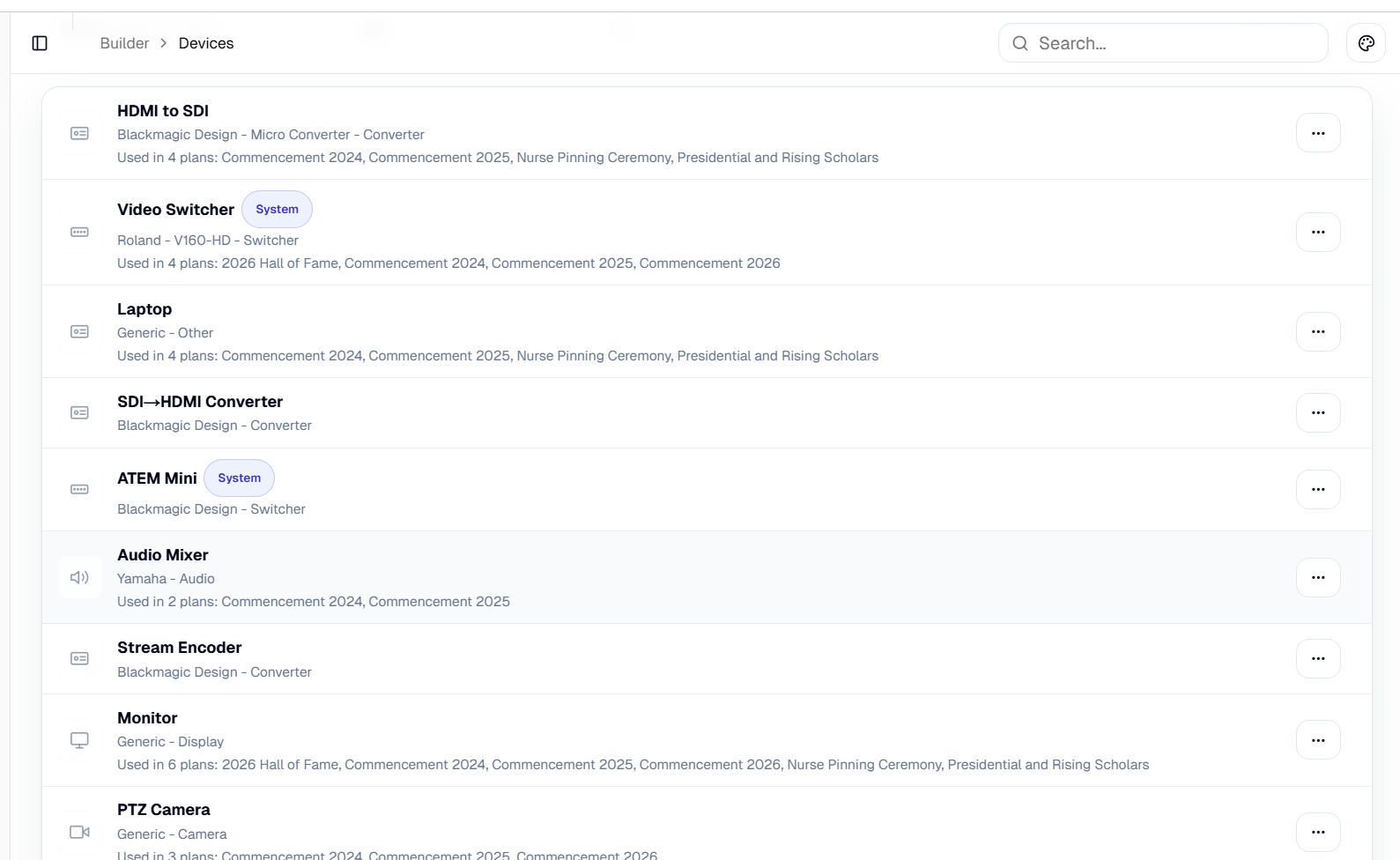
Reusable Device Templates
Reuse standardized device templates
FlowAV's device-template library helps you start from standard equipment definitions so you do not have to rebuild the same gear from scratch.
- Use reusable device templates
- Keep port definitions consistent across projects
- Expand your own library of common gear over time
Operational Settings
Customize the workflow to match how you work
Keep configuration organized so projects, libraries, groups, cable styles, and readiness checklists use the same language.
- Manage device, extra, cable, and source categories
- Configure group types for zones, packs, power, network, or custom structures
- Maintain readiness checklist sections and template items
- Adjust category icons and visual settings
Reduce forgotten gear, bad patches, untested equipment, and last-minute confusion.
67 / 67
items tested
42 / 42
ready
0
failed connections
FlowAV connects the project to the actual execution.
From first diagram to final readiness check,
FlowAV keeps your AV operation organized.